Poolside readiness
Pool surround · Pool surroundIs the pool surround free of trip hazards?
CHECKLIST SOFTWARE FOR LEISURE CENTRES
Give each shift clear checks on their phones. Review poolside findings, room readiness and outstanding maintenance together in your manager’s workspace.
A populated demo. No account. No card.
THE STAFF APP

RIVERSIDE LEISURE CENTRE · OPENING
Your shift · 06:00–14:00
Is the pool surround free of trip hazards?
THE MANAGER WORKSPACE
OPERATIONS WORKSPACE
Your team. Your checks. One clear picture.
TODAY’S ROTA
Tom Evans 06:00–14:00Hannah Price Follow-upPriya Shah Duty managerHANDOVER
Opening shift in progressThe next submitted check appears here.Tap “Try a failed check” on the phone. Watch it arrive in the manager’s workspace.
YOUR WORK. ON THEIR PHONE.
Different areas open at different times. Staff change over. A fault found in the morning can still be waiting for attention at closing. CheckControl connects the scheduled check, the person who completed it and the follow-up your manager needs to see.
Check entrances, escape routes, public areas and the final building sweep using your own site procedures.
Organise checks by area. Record equipment condition, cleanliness and readings using the question types and thresholds you configure.
Record room conditions and equipment faults with an explanation and supporting photo.
Keep reported problems and next actions visible when responsibility passes to the next team.
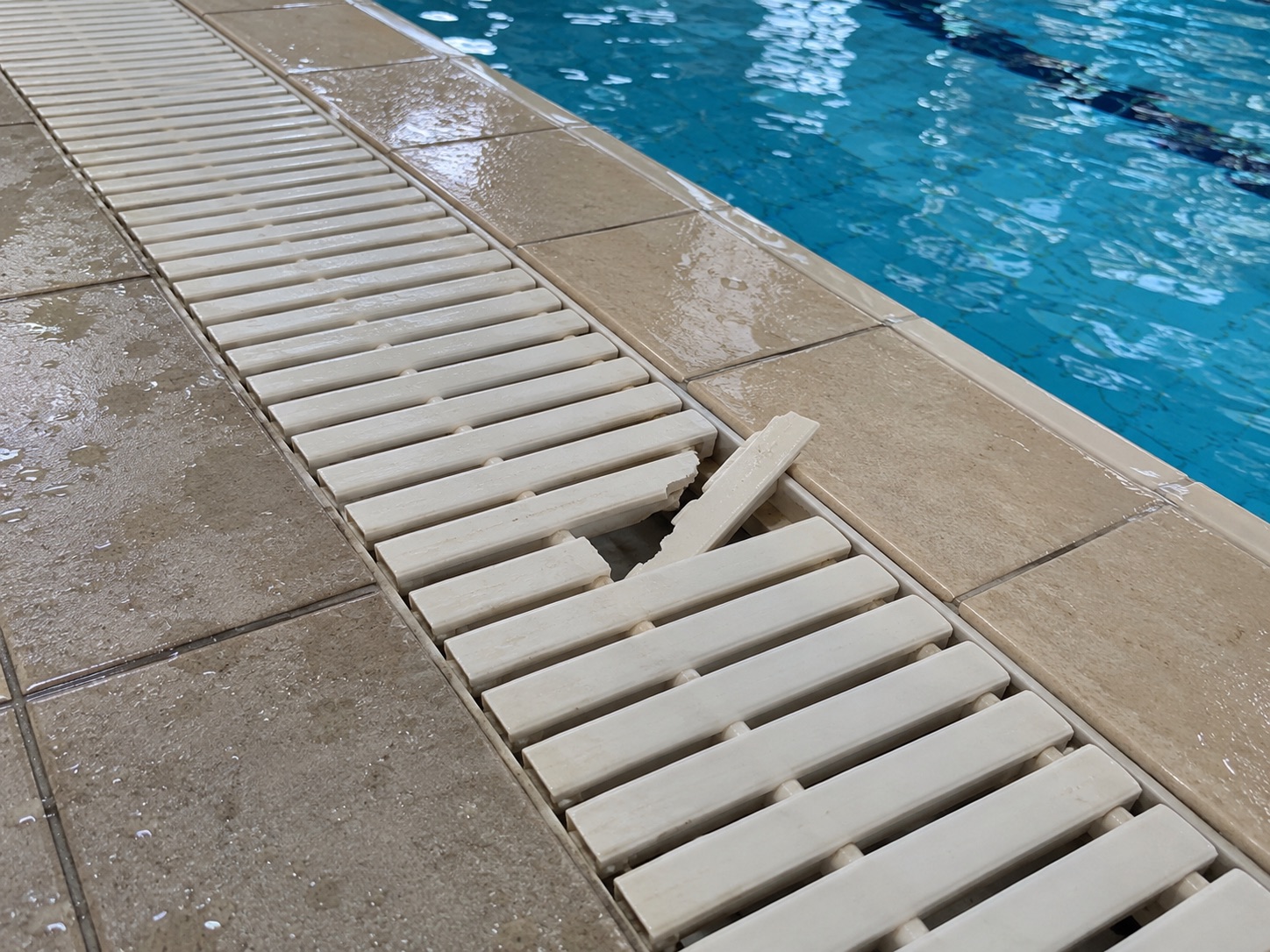
THE PHOTO. THE PERSON. THE FOLLOW-UP.
“A drainage-grate section is cracked with a raised broken edge.”
Affected poolside section isolated and duty manager informed; access redirected under the site procedure.
Arrange replacement by authorised maintenance staff and inspect the surrounding grate sections.
Assign an owner and due date. Record the outcome. Keep the original failed answer in the record.
Inspect the leisure centre issues →TEACH THE CHECK. NOT JUST THE TICK.
Build a lesson from your own procedure. Assign it to the right people. Check understanding and record practical assessment separately.
Try a staff lesson →Your procedures and assessment—not an external qualification.
PROCEDURE PREVIEW
Read the site Normal Operating Procedure and the previous shift handover. Confirm the responsible duty manager.
Confirm that the authorised pool operator has completed the required plant and water-quality checks in the approved system. Do not open without clearance.
Walk the pool surrounds, inspect accessible fixtures and verify rescue equipment locations against the site plan.
WHEN SOMEONE ASKS “WAS IT DONE?”
Find the date and staff member, read the answers and inspect the photos. Export daily, weekly, monthly or yearly records as PDF or Excel.
Records of the work your team submits—not a guarantee of safety or compliance.
Explore leisure centre reports →DEMONSTRATION RECORDRiverside Leisure Centre / Tom Evans
START SMALL. MAKE IT PART OF THE SHIFT.
Choose your questions and instructions. Set the standards your team should follow.
Add your team, assign routines to shifts and roles, and link the relevant learning.
See submitted and missed work. Follow up the exceptions with the evidence in front of you.
Start with one opening checklist and one closing checklist. Add your site areas and staff, assign the routines to the relevant shifts, then expand once the first team is comfortable.
A GOOD FIT FOR YOUR BUSINESS?
Your organisation sets the procedures, trained responsibilities and opening clearance. A recorded check is not a safety certification.
Yes. Configure routines and questions around your existing procedures, including yes/no answers, written notes, choices and numerical readings. Your organisation defines the checks and acceptable thresholds.
Checks can follow the relevant site, shift and operational role. Staff see their assigned work, while managers can review completion and issues within their access.
A check records the answer and evidence submitted by a person. Staff still need to carry out the inspection, follow your procedures and escalate anything unsafe.
Open the populated Riverside Centre demo. The interactive report lets you move from a date to a staff member, then into the exact failed answer, its photo and downloadable PDF.
SEE YOUR KIND OF WORKING DAY
Fictional staff, populated checks, fault photos and training.
Switch between the team’s view and your manager workspace.