Restaurant opening readiness
Restaurant entrance · Guest entranceIs the entrance route clear and ready?
CHECKLIST SOFTWARE FOR RESTAURANTS & CAFÉS
Opening, cleaning and closing checks your team can follow on their phones. See the missed tasks and reported problems before the next service—not after.
A populated demo. No account. No card.
THE STAFF APP

HARBOUR KITCHEN · OPENING
Your shift · 06:00–14:00
Is the entrance route clear and ready?
THE MANAGER WORKSPACE
OPERATIONS WORKSPACE
Your team. Your checks. One clear picture.
TODAY’S ROTA
Noah Collins 06:00–14:00Sana Malik Follow-upIsabella Rossi Duty managerHANDOVER
Opening shift in progressThe next submitted check appears here.Tap “Try a failed check” on the phone. Watch it arrive in the manager’s workspace.
YOUR WORK. ON THEIR PHONE.
Opening tasks, washroom checks and the closing clean-down can fall between shifts. Give each routine an owner and keep the answers and follow-up together.
Assign your entrance, dining-area and washroom checks before opening.
Give each area a clear checklist, instructions and a scheduled owner.
Photograph visible damage and record what was taken out of service.
Leave the next shift the unresolved issues, restrictions and jobs still to do.
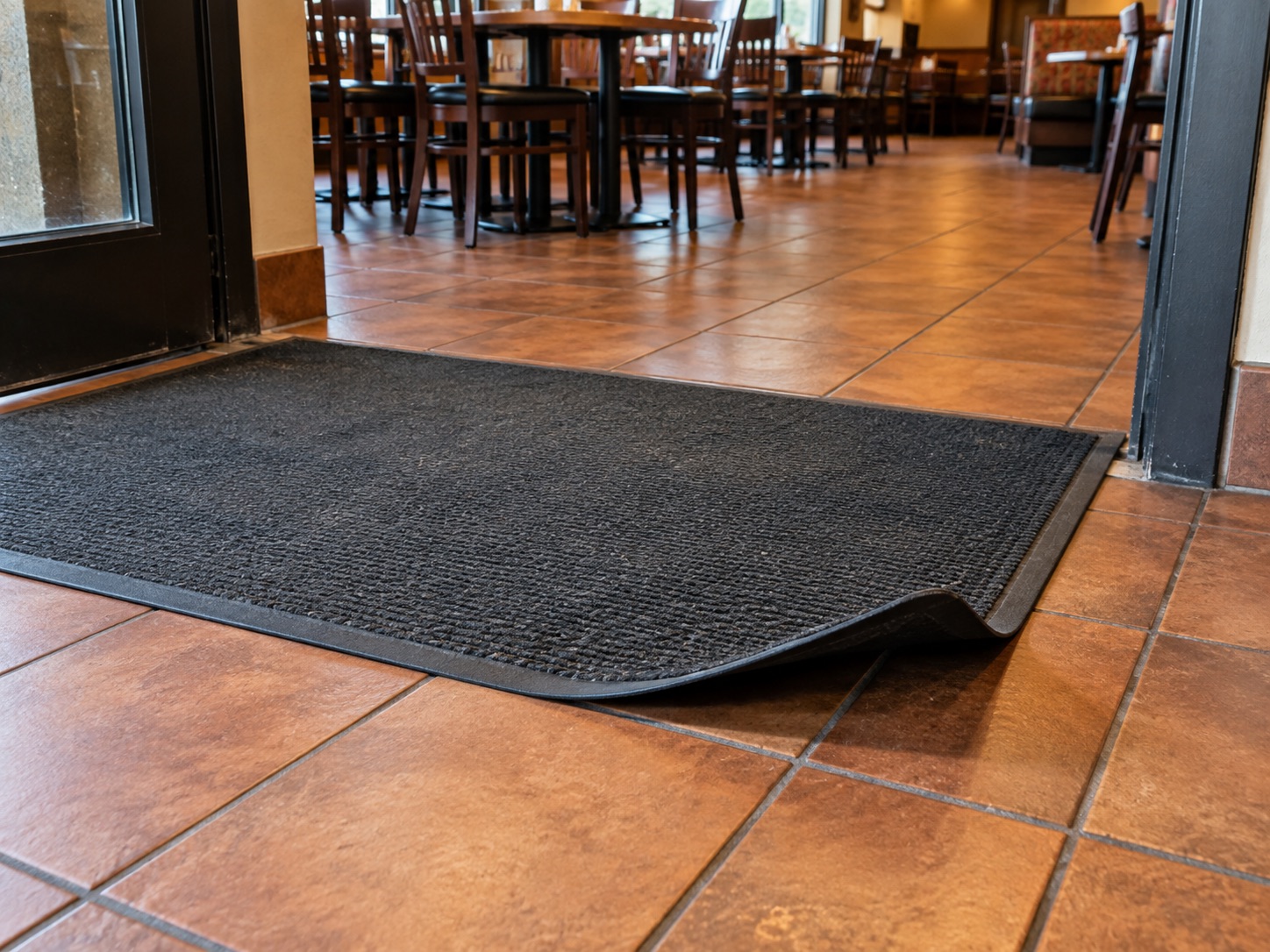
THE PHOTO. THE PERSON. THE FOLLOW-UP.
“The black entrance mat has a curled edge in the guest walking route.”
Mat removed from the route and service manager informed.
Replace the mat with an appropriate undamaged one and check that it sits securely before service.
Assign an owner and due date. Record the outcome. Keep the original failed answer in the record.
Inspect the restaurant issues →TEACH THE CHECK. NOT JUST THE TICK.
Build a lesson from your own procedure. Assign it to the right people. Check understanding and record practical assessment separately.
Try a staff lesson →Your procedures and assessment—not an external qualification.
PROCEDURE PREVIEW
Read the kitchen and front-of-house handover. Confirm the responsible service manager.
Walk the guest areas, access routes and washrooms. Record any visible defect or cleaning requirement.
Ask the trained kitchen lead to confirm completion of the food-safety system checks. Use the approved limits and records for your business.
WHEN SOMEONE ASKS “WAS IT DONE?”
Find the date and staff member, read the answers and inspect the photos. Export daily, weekly, monthly or yearly records as PDF or Excel.
Records of the work your team submits—not a guarantee of safety or compliance.
Explore restaurant reports →DEMONSTRATION RECORDHarbour Kitchen / Noah Collins
START SMALL. MAKE IT PART OF THE SHIFT.
Choose your questions and instructions. Set the standards your team should follow.
Add your team, assign routines to shifts and roles, and link the relevant learning.
See submitted and missed work. Follow up the exceptions with the evidence in front of you.
Start with opening, cleaning and closing. Add your own instructions and trained responsibilities. Keep your approved food-safety system and its required records in place.
A GOOD FIT FOR YOUR BUSINESS?
Supports your operational routines. It does not replace your food-safety management system or guarantee an inspection rating.
No. CheckControl is for your team’s operating routines: checks, guides, learning, photo evidence and issue follow-up. Keep your existing booking and point-of-sale systems.
No. Your business remains responsible for its approved food-safety system, required checks and competent supervision. This demo covers operational readiness; it does not demonstrate automated temperature monitoring or a certified food-safety programme.
Yes. Managers create routines with yes/no, written, choice and numerical questions. Set your own instructions, thresholds and assignments, and review them against your business requirements.
Yes. Open the restaurant demo to use a fictional staff shift, inspect photo evidence, explore the manager’s workspace and try reports without an account or card.
SEE YOUR KIND OF WORKING DAY
Fictional staff, populated checks, fault photos and training.
Switch between the team’s view and your manager workspace.